The library you own that every assistant can cite.
Caute keeps what you save from the web, your inbox, your phone and your AI chats, exactly as it was, and finds the passage again by what it says or what it means. Claude, ChatGPT and Gemini can search it and cite it, under rules you set and can check.
No card needed. The free plan keeps every link, note and email.
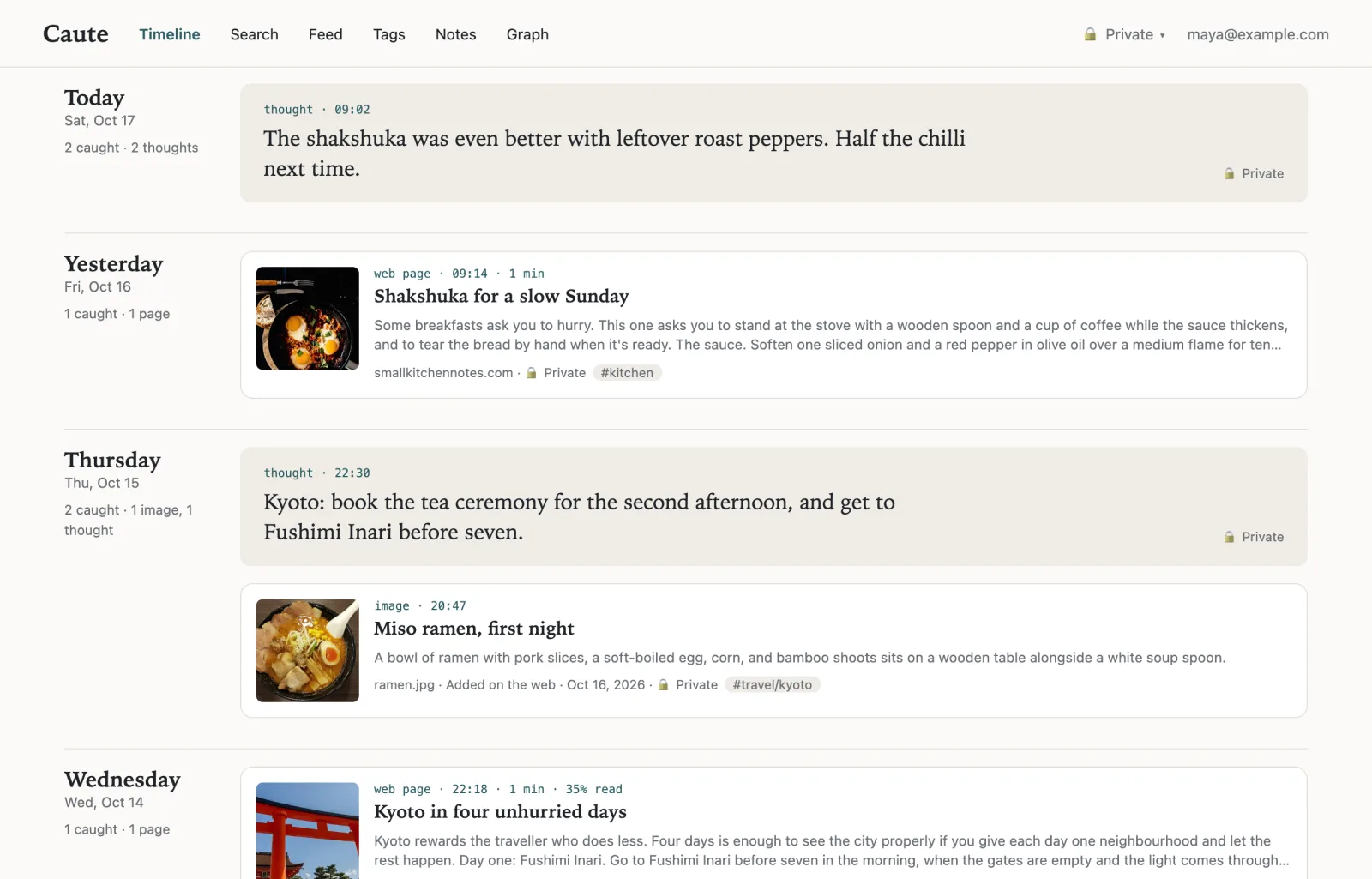
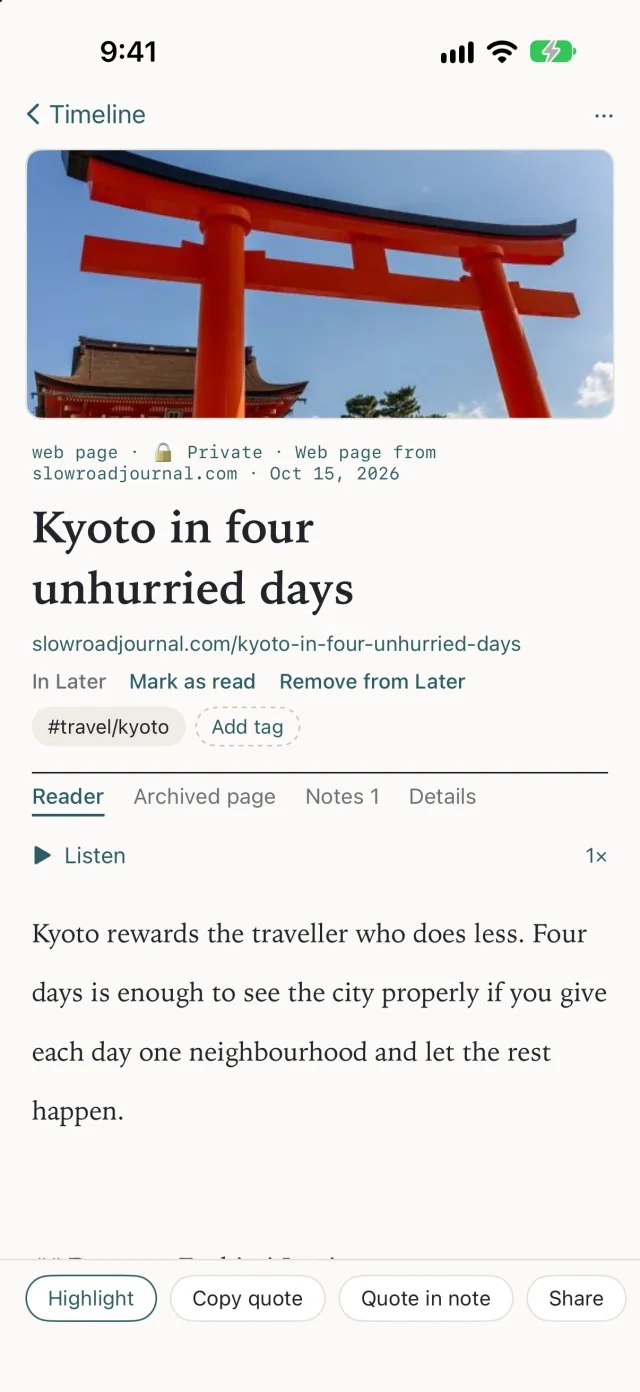
Catch it however it arrives.
One click in Chrome, Firefox or Safari, the share sheet on iPhone, the menu bar on a Mac, the Share menu on Android, or forwarding an email. No title to type, no folder to choose: everything is private and in your inbox until you decide otherwise.
| You save | Caute keeps |
|---|---|
| Web pages, including ones behind a login | The page as you saw it, kept readable and archived |
| PDFs and scans | Their text, or every page read with OCR where there is none |
| Word, Excel, PowerPoint, Pages, Numbers, Keynote | Opened in a sealed sandbox and read |
| Photos and screenshots | The words in them, and a description of what they show |
| Recordings and videos | A transcript, timed so a match opens at the moment it was said |
| YouTube | The video’s own captions, with its title and picture |
| Email and attachments | Forward to your private address; each attachment is kept and linked to its email |
| Posts from X, Facebook and Instagram | Who wrote it, what it says, and what it shows |
| Books in EPUB | Chapter by chapter |
| ChatGPT and Claude conversations | Imported from their exports, each question kept with its answer |
| Notes you write | Markdown, linking to anything you’ve caught |
Bring your library with you. Import from Pocket, Instapaper, Raindrop, Readwise, Kindle, Omnivore, your browser’s bookmarks, and folders of Markdown or Obsidian notes. Your tags and highlights come too. See how Caute compares.
Caute wherever you are.
Everything you catch goes to one library, on the web, your iPhone and your Mac, and stays in step between them.
iPhone
Coming soon to the App Store
Mac

Android
- Open app.getcaute.com in Chrome and sign in.
- Tap the ⋮ menu, then Add to home screen, then Install.
- Caute is now in the Share menu: share a page, photo or file to it.
On the web
Writing in Obsidian, or at a terminal? Caute for Obsidian, the command line and the API are on the developer pages.
Find the sentence, not just the page.
Every result shows the passage that matched and opens the original at that spot: the page of a PDF, the moment in a recording, the paragraph of an article.
After the first twelve months, either party may end this lease by giving sixty days' written notice to the other.
Even when the words aren’t in it.
A scan has no text until something reads it, and a file sent by email doesn’t say who sent it. Caute reads every page, and gives each attachment what it knows from the email it came with: who sent it, when, and what it was about. So you can search the way you remember.
Researchers saw octopuses pass through two stages of sleep, a quiet one and an active one in which their skin flickers through colours.
So the plan is we skip the public beta and ship to everyone in November, as long as sign-in is fixed.
Section 4.2: either party may terminate for convenience with ninety days’ notice.
Notes, highlights and tags sit on every card, and a graph shows what connects to what, including the things you never linked but that say the same thing.
Ask, and see where every word of the answer came from.
Ask a question in plain words. The answer is built only from what you saved, and every sentence names its source. A sentence that can't is left out.
Sixty days’ written notice, and only once the first twelve months have passed.[1] The renewal also moved the rent review to every March.[2]
- 1 Lease renewal 2026, page 3
- 2 Email from Sarah Chen, 12 March
Nothing you’ve saved answers that.
When your library doesn’t know, Caute says so instead of guessing.
Come back to it.
Catching is half of it. Caute keeps room to read what you caught, and brings back what’s worth seeing again.
- Later
- Pages, PDFs and books you catch wait in Later, with how long each takes to read and how far in you are, on every device.
- Listen
- Have an article read aloud by your device’s own voice, in the browser or on your iPhone with the screen locked.
- Today
- A highlight to look at again, spaced out so it stays with you, what you caught on this day in earlier years, and what has waited longest. On your timeline, and as an iPhone widget.
- Feeds and newsletters
- Follow sites and newsletters in a Feed kept apart from your library. Keep what’s worth it; the rest never crowds your searches.
- A weekly digest
- Your week’s catches and highlights by email, if you want one.
Write with what you’ve caught.
Your notes live beside what they’re about, and what you write finds what you’ve read.
- Highlights and notes
- Mark passages as you read, and write notes on any card or on their own, in Markdown. On iPhone they work with no signal.
- Related as you write
- While you write a note, Caute shows the cards closest to the paragraph you’re on, ready to link.
- Links and the graph
- Link cards to each other, keep or dismiss the ones Caute thinks belong together, and see your library as a map.
- Briefs
- Ask for a brief on a tag, a search or a question: a short summary in which every sentence cites the card it came from.
- Caute for Obsidian
- Write in Obsidian with your library beside you. Find sources for the paragraph you’re on, quote them with links that open the exact words, and turn them into footnotes.
Let your AI assistant search it, on your terms.
Caute works as a connector for assistants that support MCP, such as Claude. Ask your assistant about something you read last spring, or have it save what it finds, into the space you choose. More on assistants and memory.
- You choose the spaces.
- An assistant sees only the spaces you tick when you connect it, nothing else.
- What it reads is marked as quoted.
- Saved pages reach the assistant labelled as material to read, not instructions to follow, so a page with hidden instructions can’t steer it.
- Saving can be all it does.
- Give a tool permission to add to Caute and nothing more; it can’t read a thing.
- Disconnect any time.
- One click in Settings, and its access ends on its next request.
It wants access to the Caute MCP server.
It will be able to:
- Search what you’ve saved
- Save new items
Build on it.
Caute is made to be built on. The developer site has the API, the MCP server, webhooks, processors and the card format.
- An open API
- Everything Caute’s own apps do goes through the same API, with tokens or OAuth, scoped to the spaces you choose.
- Webhooks
- Be told each time something is caught or becomes searchable, signed and in order.
- A command line
- Save, search and keep a folder of Markdown in step with your library from a terminal.
- An open format
- Every export is in the card format, documented file by file, so other tools can read your library.
Your library is yours.
Caute reads what you save so that it can find it for you. Here is exactly what that means.
- Private until you share it.
- Everything you catch lands in your own inbox. Nothing reaches a shared space unless you put it there.
- Encrypted at rest, a key per space.
- Every file is encrypted with keys kept in a key management service, separate for each space.
- Never used to train AI models.
- Not ours and not anyone else’s. The model providers Caute uses are bound not to keep what they process.
- Nobody at Caute reads your library.
- There is no routine access to what you save.
- Teams share by space.
- A team sees the spaces it’s given. Tags organise, and never widen who can see.
- Keep a space away from AI.
- Turn it on for a space and nothing in it is sent to a language model or an assistant you’ve connected. Only your own iPhone may answer from it, without sending a word.
- Take everything with you.
- Export your whole library in an open, documented format at any time, or delete your account and everything in it.
Simple plans, with credits for AI.
Saving, search, summaries and titles cost nothing extra. A question in Ask uses a credit (two on Gemini Pro) and a brief eight (twenty on Pro); with your own AI key they use none. Every plan keeps everything you’ve caught readable and searchable. If you stop paying, nothing is deleted or hidden.
| Plan feature | Free | Pro | Pro+ | Team |
|---|---|---|---|---|
| Price | $0 | $8 a month, or $72 a year | $16 a month, or $144 a year | $14 per member a month |
| Links, notes and email | Unlimited | Unlimited | Unlimited | Unlimited |
| Files | 1 GB | 50 GB | 200 GB | 100 GB per member, shared |
| Transcription | 1 hour a month | 20 hours a month | 60 hours a month | 20 hours per member a month |
| Summaries and titles | Included | Included | Included | Included |
| Credits for Ask and briefs | 20 a month | 70 a month | 200 a month | 175 per member a month, shared |
| Briefs | – | Included | Included | Included |
| Choose the model, or use your own Gemini, Claude or ChatGPT key | – | – | Included | Included |
| AI assistant connections | 200 calls a day | Fair use | Fair use | Fair use |
| Shared spaces, roles and an activity log | – | – | – | Included |
Moving from another app? See how Caute compares.